Workplace and educational device theft costs organizations over $1 billion annually. The financial hemorrhage is real, yet most institutions overlook the simplest, most cost-effective defense: a reliable cable lock. A $25 security solution can transform an entire office's approach to device protection.
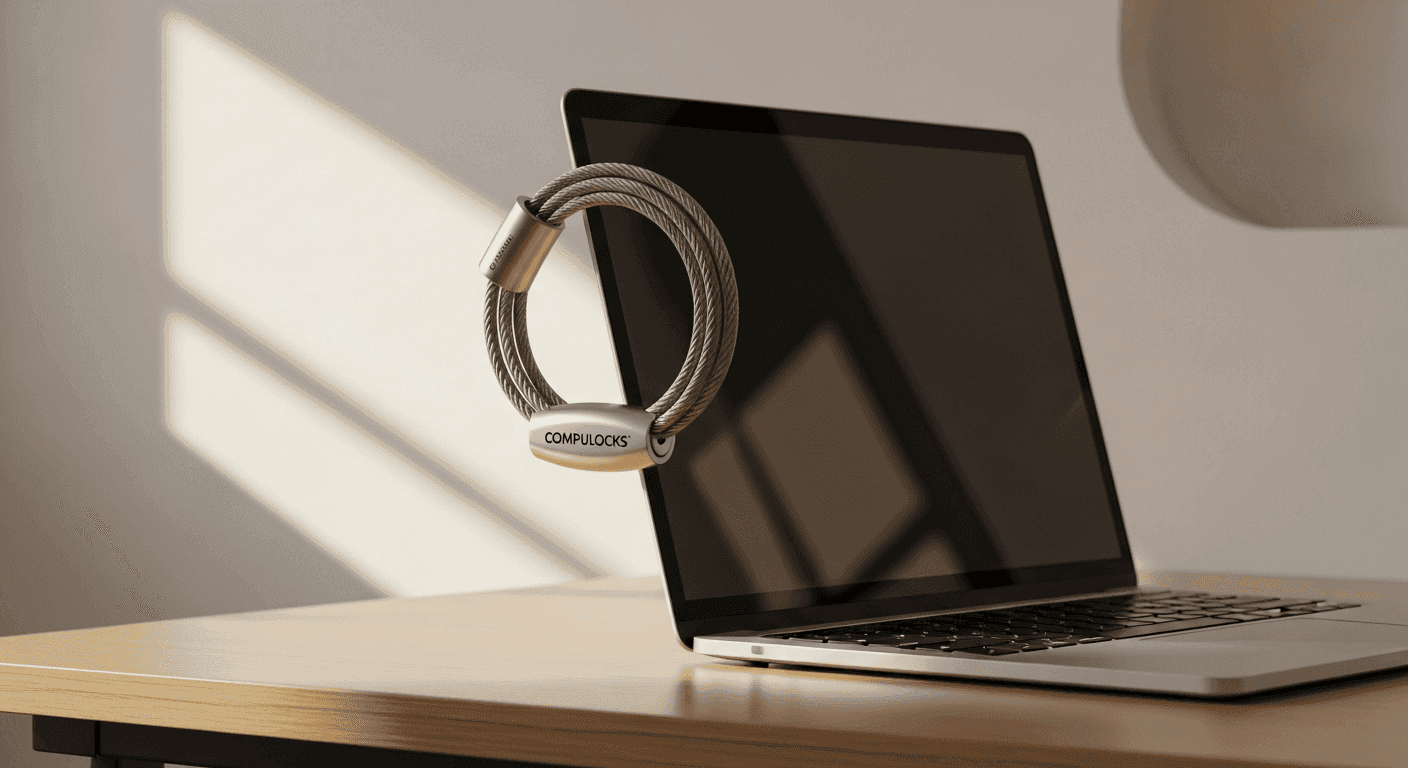
The Compulocks Universal Combination Laptop Cable Lock isn't your typical single-device lock. Compulocks engineered a universal security cable that works across laptops, monitors, printers, and their proprietary stands and cases. The combination locking mechanism eliminates key management headaches, while the 6-foot galvanized steel cable gives organizations flexibility in how they anchor equipment.
For institutions managing dozens or hundreds of devices, this versatility matters tremendously. Discover how the Compulocks Universal Combination Laptop Cable Lock protects your institutional assets today.
Why Educational Institutions Choose This Cable Lock
Educational environments face unique security challenges. Devices move between classrooms, get left unattended during transitions, and sit vulnerable in open labs. Schools and universities adopted the Compulocks Universal Combination Laptop Cable Lock for straightforward reasons.
K-slot compatibility with standard lab and classroom equipment means administrators don't need to research which locks fit which devices. The same cable lock secures laptops, monitors, printers, and specialized equipment across campus. This universal approach streamlines procurement and deployment.
Simplified device management across multiple campuses and departments reduces complexity. A large university with 500 distributed devices can order one lock model rather than managing five different SKUs. Reduced administrative burden from lost keys and replacement locks translates directly to IT staff time saved. Nobody's calling the facilities office because a key went missing.
The affordable per-unit cost for large-scale deployments makes bulk purchasing viable even for tight budgets. Educational institutions appreciate visible deterrents that signal institutional commitment to device security. When students and staff see cable locks on equipment, they understand the institution takes asset protection seriously.
Compliance with insurance and IT security policies requiring physical locks becomes straightforward. Many institutional insurance carriers mandate mechanical security for devices in shared spaces. This cable lock satisfies those requirements without expensive alternatives.
The Anatomy of the 6-Foot Cable Design
The physical construction determines whether a cable lock actually deters theft or becomes a minor inconvenience. Compulocks built this cable lock around galvanized steel, a material choice that matters more than marketing copy suggests.
Galvanized steel construction resists rust and corrosion, critical for devices that move between environments—from climate-controlled offices to humid classrooms to outdoor patios. The cable maintains flexibility and strength even when exposed to temperature swings and moisture. Unlike bare steel cables that degrade visibly, galvanized protection extends the lock's lifespan significantly.
The T-Bar locking head fits securely into K-slot security connections with mechanical precision. Rather than relying on friction or sloppy tolerances, the T-Bar design creates a positive lock that prevents the cable from slipping out under force. This matters when someone casually yanks on a locked device.
Loop-ended cable design enables wrapping around desks, table legs, and fixed objects. Organizations position devices with a tether to an immovable anchor point—the desk leg, a pipe, a monitor arm. The loop accommodates various anchor diameters without additional hardware.
The rotating and tilting head mechanism prevents cable tangling, a surprisingly important feature for daily usability. When staff members repeatedly plug in power adapters, adjust monitor angles, or move devices slightly, tangled cables create frustration that leads to people removing the lock. A rotating head that moves with the device eliminates this friction.
Flexibility in positioning devices at various angles and distances transforms a restrictive security measure into something users actually tolerate. A monitor can tilt without twisting the cable. A laptop can open without straining the connection point. The 1.8-meter length accommodates standard desk configurations where a device sits 2-3 feet from an anchor point.
4-Digit Combination Lock: Convenience Meets Security
Combination locks eliminate the administrative nightmare that haunts institutions managing physical keys. With keyed locks, administrators track which staff member has which key, manage key replacement when people change positions, and respond to lost key incidents. Organizations with 100+ devices quickly discover that key management becomes its own department.
A resettable combination functionality transforms key management entirely. Administrators set one master combination for all devices, or customize combinations by department. When someone leaves the organization, administrators don't replace locks—they simply reset the combination. New staff learns the department combination without physical handoffs.
Elimination of physical key distribution and tracking systems removes a genuine administrative burden. No spreadsheets tracking who has access to which devices. No emergency lock changes when a key disappears. No locksmith service calls.
The theoretical vulnerability of a 4-digit combination versus real-world theft scenarios reveals an important distinction. A potential thief could theoretically try 10,000 combinations given unlimited time. In actual practice, opportunistic theft—the primary threat in offices and classrooms—depends on speed. A locked device signals "try the unlocked one over there." Someone with 30 seconds won't invest energy in combination guessing when dozens of unsecured alternatives exist.
Combination locks compare favorably to keyed alternatives when considering institutional use. Keyed locks require physical security for the keys themselves. A master key creates a single point of failure—one compromised key opens every device. Combination locks distribute security through knowledge rather than possession of a physical object.
Setting and remembering combinations across multiple devices requires a strategy. Organizations typically choose department-level combinations or per-device combinations based on value and risk assessment. High-value research equipment might get unique combinations. Standard classroom laptops might all use the same combination.
Recovery options exist if a combination is forgotten. Compulocks provides master reset procedures for lost combinations, though this requires verification of ownership and legitimate access rights.
Real-World Performance in Office and Classroom Settings
Cable locks succeed or fail based on real-world deployment outcomes, not lab testing. The Compulocks Universal Combination Laptop Cable Lock performs well because it addresses actual behavior patterns of opportunistic thieves.
Effectiveness as a deterrent against opportunistic theft emerges because most device theft occurs in crowded, semi-public environments. A library patron might grab an unattended laptop during a bathroom break. Someone sitting at the next table might pocket a smartphone left on a desk. These aren't sophisticated criminals—they're opportunists with seconds to act.
When thieves encounter visible cable locks, decision-making becomes simple: try the next device. A locked laptop sitting on a library table next to three unlocked alternatives means the locked one stays on the table. The thief's time constraint combined with easy alternatives makes the locked device uninteresting.
Performance in high-traffic public spaces like libraries, cafes, and shared labs reveals the lock's sweet spot. These environments see moderate-volume opportunistic theft but rarely attract organized, equipped criminals. A cable lock provides exactly the right level of security against this threat profile.
Durability over months and years of daily use demonstrates solid construction. Institutions report cables that remain operational after 2-3 years of constant use in classroom environments where devices move daily. The combination mechanism holds its setting and resists wear from regular operation.
Maintenance requirements prove minimal. The galvanized steel cable requires no oiling or treatment. The combination head occasionally benefits from light lubrication but functions reliably without it. Users report that the only maintenance is occasionally wiping dust from the lock head.
User feedback from institutions with 100+ deployed units confirms consistent performance. IT administrators appreciate the reduced support burden compared to keyed locks. Staff members eventually stop noticing the locks—they become as invisible as a monitor stand, functioning quietly without complaint.
K-Slot Compatibility: Understanding Your Device Requirements
Before purchasing this cable lock, confirming that your devices feature K-slot security connections is essential. K-slot compatibility determines whether you're buying a universal solution or discovering after delivery that the locks don't fit.
Which laptops, monitors, and peripherals feature K-slot security connections spans most business and educational equipment manufactured in the last decade. Virtually all Dell, HP, Lenovo, and Apple laptops include K-slots. Enterprise monitors from major manufacturers include them. Printer security slots conform to the K-slot standard.
Devices that lack K-slot security connections do exist, particularly older equipment and some specialized devices. Chromebooks, for instance, may not include K-slots. Older laptops predating the standard don't have them. Compulocks offers alternative solutions like the Blade Universal Lock for equipment without K-slots.
Universal security plates extend compatibility by adding K-slot mounting points to devices lacking native security connections. These plates mount using existing hardware holes and accept the standard cable lock. This approach works well but adds cost and installation time.
Checking your equipment before purchasing this specific lock prevents disappointment. Physically inspect several sample devices. Look for a thin horizontal slot on the side or bottom of the device—that's the K-slot. When you find one, measure it to confirm it's the standard size.
Integration with Compulocks stands and carrying cases creates a complete ecosystem. If your organization uses Compulocks-specific accessories, this cable lock connects seamlessly. The same combination protects the laptop, the stand, and the carrying case.
Troubleshooting poor fit or loose connections usually indicates either a non-standard security slot or K-slot variants from different manufacturers. If the T-Bar slides in but doesn't lock securely, verify you're using the correct lock type for that device.
Galvanized Steel vs. Cutting Tools: A Realistic Security Assessment
No cable lock prevents a determined thief with the right tools. Understanding what this lock actually protects against versus what it cannot protect against guides realistic security expectations.
Resistance to bolt cutters and hand tools is substantial. The 6-foot galvanized steel cable resists standard cutting tools. A determined person with heavy-duty bolt cutters might eventually sever the cable, but this requires time, effort, and noise—all of which deter opportunistic theft.
Vulnerability to specialized cutting equipment like angle grinders represents a different threat level. Someone with power tools and several minutes can cut through the cable when institutional noise levels mask the sound. This threat profile describes organized theft or insider threats, not opportunistic theft.
Cable lock limitations need direct acknowledgment: they prevent casual theft, not professional heists. A conference attendee walking past a locked laptop won't steal it. Someone planning to systematically steal equipment from a facility will find methods to overcome cable locks.
Layered security approaches combine cable locks with other measures. Institutions managing high-value equipment employ multiple tactics: cable locks for portable devices, equipment tracking software, surveillance in high-risk areas, and access controls to sensitive spaces. Cable locks form one layer of a comprehensive security strategy.
When to invest in heavier-duty alternatives depends on device value and threat assessment. Research institutions protecting $10,000 specialized equipment might justify reinforced security beyond cable locks. A classroom with 20 standardized laptops valued at $600 each finds cable locks proportionate to the risk.
Cost Analysis: Why $25–$30 Represents Real Value
The price point of the Compulocks Universal Combination Laptop Cable Lock—between $25 and $30 per unit—yields genuine value when analyzed against alternatives and total cost of ownership.
Per-unit pricing compared to keyed cable locks and alternative solutions reveals favorable economics. Quality keyed cable locks cost similarly but require key management infrastructure. Reinforced security solutions cost substantially more. This cable lock occupies the price-to-protection sweet spot for most institutional applications.
Total cost of ownership including replacement and maintenance shifts the analysis further. After years of use, cables eventually require replacement. A quality cable lock that remains functional for 2-3 years costs $10 to $12 annually. Administrative time for key management on keyed locks often costs more than that per device annually.
Budget justification for purchasing 10, 50, or 500 units becomes straightforward. An organization considering 500 units is evaluating a $12,500 to $15,000 investment. Compare that against the cost of replacing even a few stolen devices, or the administrative burden of managing thousands of physical keys across a large institution.
Bulk pricing opportunities emerge with institutional buyers. Organizations purchasing 100+ units often qualify for volume discounts that reduce per-unit cost by 10-20%. This makes large-scale deployment even more economically attractive.
ROI calculation based on theft prevention in your organization depends on baseline theft rates. If an institution experiences 10 device thefts annually, each costing $800 to replace, the cable locks pay for themselves if they prevent even two thefts yearly. Most institutions see ROI within the first year of deployment.
Lock It Down: Protecting Your Institutional Assets
The Compulocks Universal Combination Laptop Cable Lock succeeds because it solves a real problem with genuine simplicity. You get a 6-foot galvanized steel cable, a resettable 4-digit combination, and universal K-slot compatibility—all for under $30 per unit. That combination works beautifully for offices, classrooms, and shared workspaces where opportunistic theft is the primary concern.
The real advantage emerges when managing dozens or hundreds of devices. The keyless combination system eliminates the administrative nightmare of tracking physical keys. The universal K-slot design means you're not buying separate locks for laptops, monitors, and peripherals. One purchasing decision covers your entire device ecosystem.
Start by auditing your devices to confirm K-slot compatibility. Walk through your facility and physically inspect equipment. When you find that standard security slot, you've confirmed this solution will work. If your equipment has these standard security connections, this cable lock delivers exceptional value.
For everyone managing multiple devices across shared spaces, this is the straightforward, affordable security solution that actually gets deployed and used consistently. Protect your institutional assets with the Compulocks Universal Combination Laptop Cable Lock now.